Core Concepts#
This section describes the main entities in Photon and how they are related. These concepts define how test data is organized, executed, and tracked.
Key Entities in Photon#
Photon is structured around a set of entities that define how testing artifacts are stored and used.
Test Suite#
A Test Suite is a collection of related cases within the Test Repository.
It:
- Groups cases by feature, functionality, or testing scope
- Can contain multiple cases
- Can contain nested suites to organize cases hierarchically
For example, an Authentication suite may contain cases for login, logout, and password recovery.
Case#
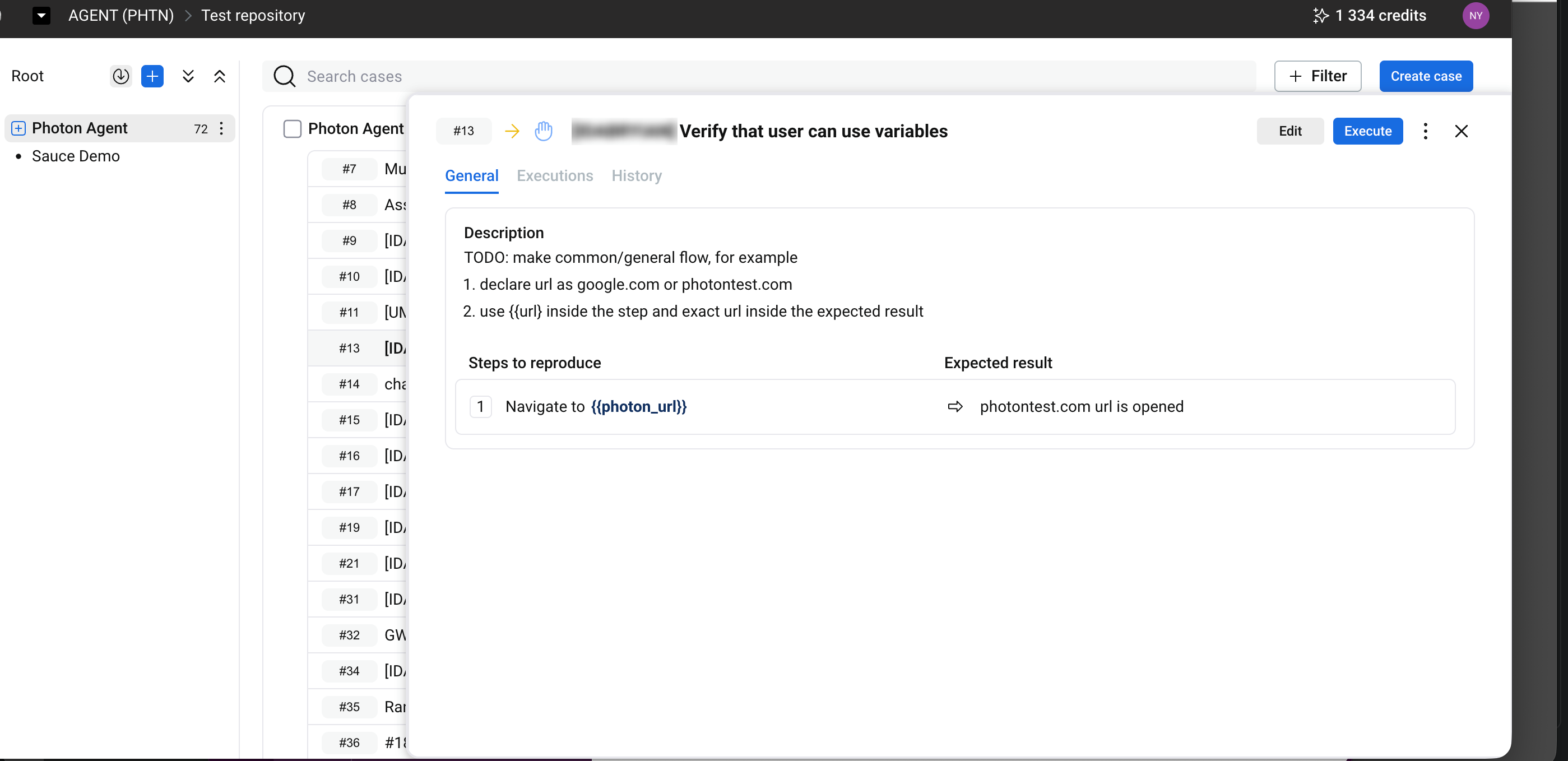
A Case defines a validation scenario.
It:
- Describes what is being tested
- Includes expected outcomes
- Can be organized into suites
Cases are organized in a hierarchical structure (suites), as shown in the test repository view.
Test Step#
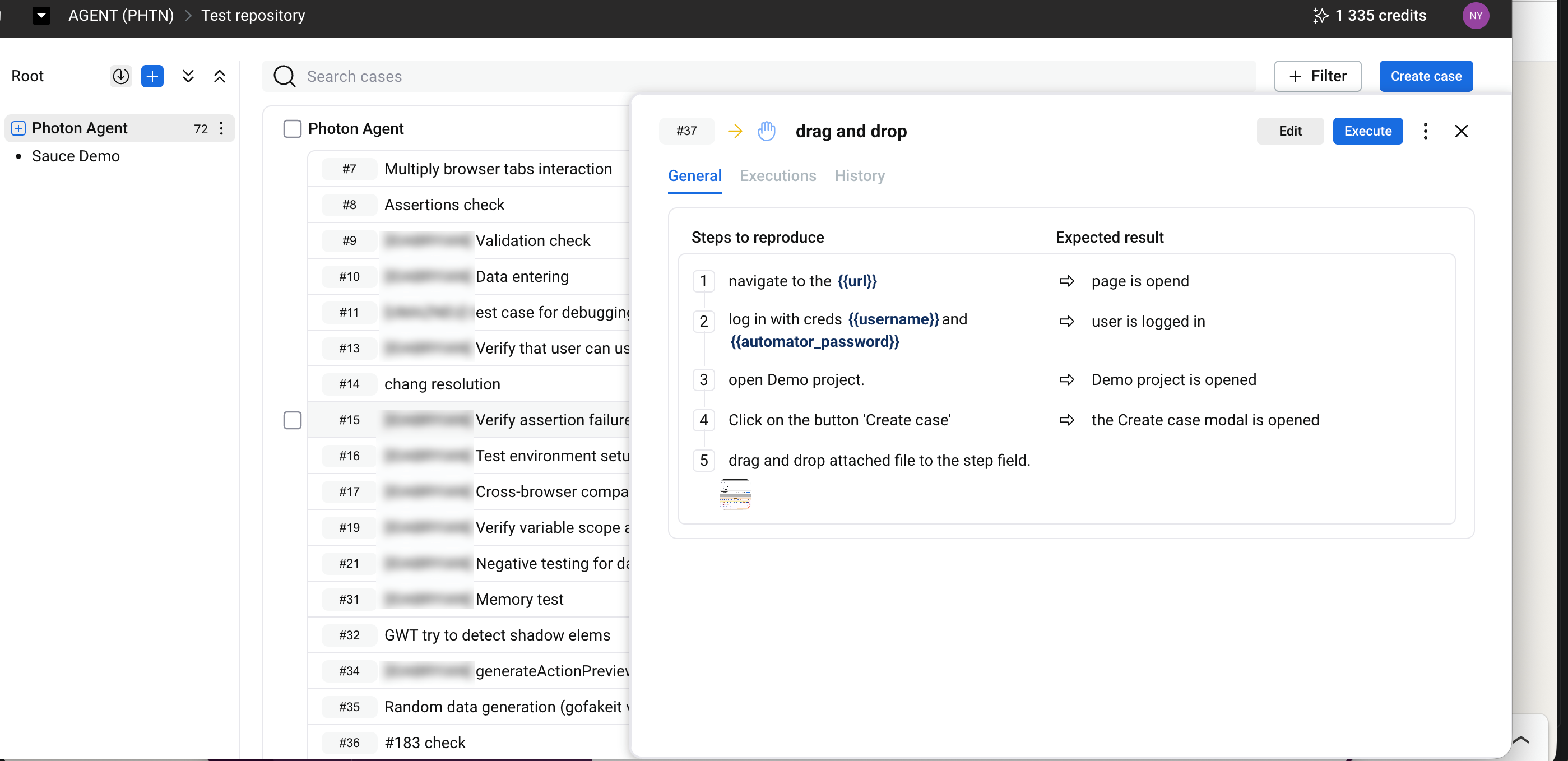
A Test Step is a single action within a case.
It:
- Describes a specific user or system action
- Includes an expected result
- Can be edited or reordered
Steps define the sequence of interactions during execution.
Shared Step#
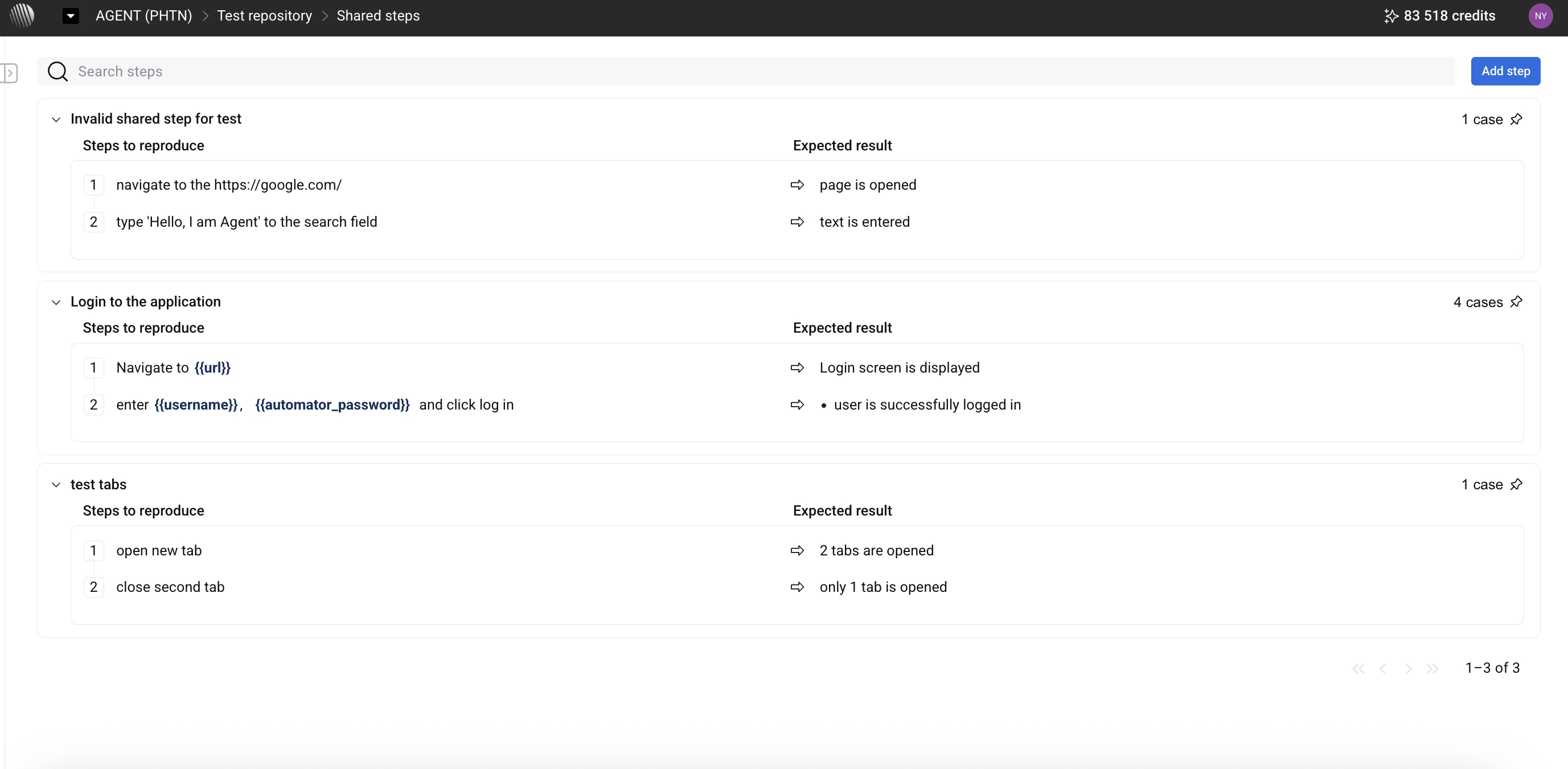
A Shared Step is a reusable group of test steps.
It:
- Can be included in multiple cases
- Is managed in a separate section (Shared steps)
- Is updated in one place and reflected across all usages
This is typically used for repeated flows such as authentication.
Run#
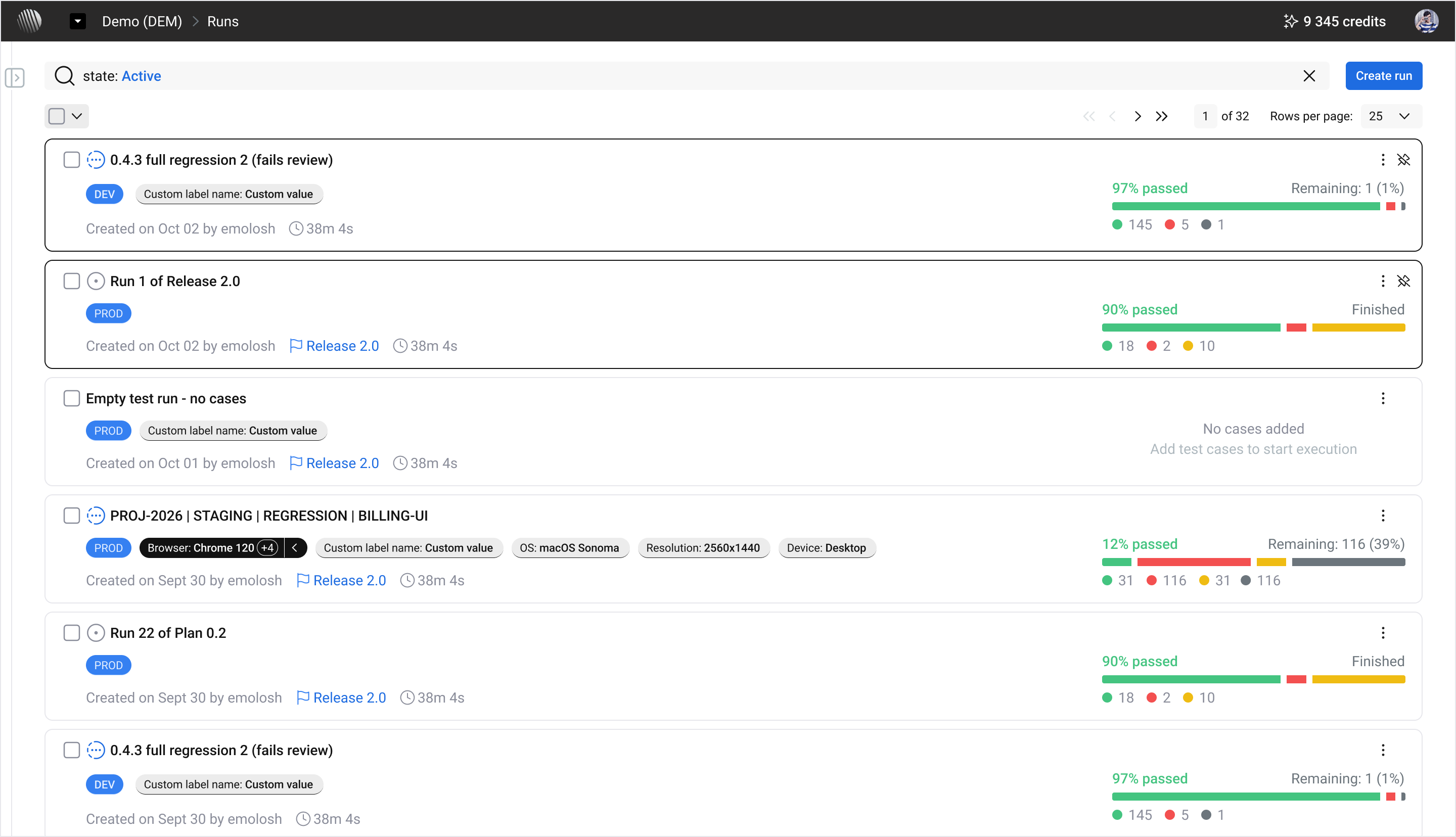
A Run represents a testing session in which selected cases are executed.
It:
- Contains cases selected for execution
- Captures execution context such as timing and results
- Stores the results of the execution
Multiple runs can be created to repeat testing across builds or releases.
Photon Data Model#
Photon uses a structured yet flexible data model designed for reuse, traceability, and controlled evolution.
Relationship Between Entities#
At a high level:
- A Workspace contains multiple Projects
- A Project contains cases organized into suites
- Cases can include test steps and shared steps
- Selected cases can be executed in a Run
- Execution results are stored within the run
This structure separates:
- Test definition
- Execution
- Results
Reuse and Structure#
Test artifacts are designed to be reusable:
- Cases can be organized and reused across executions
- Shared steps can be reused across cases
- Updates to shared steps apply across all linked cases
Versioning Logic#
Test artifacts can change over time:
- Cases and steps can be updated
- Execution results remain linked to the state at the time of execution
- Historical executions are preserved
This keeps past results consistent while allowing updates to test definitions.
AI and Manual Interaction#
Photon includes AI-based features for test generation and analysis.
AI-Generated Content#
The system may generate or suggest:
- Cases
- Test steps
- Analysis of execution results
User Actions#
Users are responsible for:
- Creating and editing cases
- Selecting cases for execution
- Reviewing execution results
- Deciding whether to apply suggested changes
Editing AI Output#
Content generated by the system:
- Can be edited
- Can be removed or replaced
- Does not override user-defined content
All test artifacts remain under user control.
Test Automation#
Test automation in Photon involves preparing test cases for automated execution and running them to validate application behavior.
A case defines the test scenario, including the actions to perform and the expected results. Automation enables these steps to be executed without manually repeating each action.
Automation Workflow#
A typical workflow includes:
- Create a case — define the scenario manually or generate it with AI assistance.
- Review test steps — verify the actions, expected results, and any required test data.
- Prepare for automation — configure the case and its steps for automated execution.
- Execute the case — include it in a Run and select the appropriate execution configuration.
- Review results — inspect execution statuses, logs, and failure details.
- Maintain the case — update steps or expected results when application behavior changes.
Automation State#
Cases can have different automation states:
- Manual — the case is intended for manual execution.
- To be automated — the case has been identified for automation.
- Automated — the case is prepared for automated execution.
These states help teams track automation progress across the Test Repository.
AI Assistance#
Photon can assist with generating test steps and analyzing execution failures. Suggested changes can be reviewed and edited before being applied.
Automation does not eliminate the need to maintain test definitions. Cases may require updates when application functionality, test data, or expected behavior changes.
For execution instructions, see Runs.